Mobile car video technology has come a long way since the days when it was mainly limited to recreational vehicles and limousines, and the sheer volume of different options can be staggering. However, it can be remarkably simple to retrofit a vehicle, and a lot of new vehicles even have OEM options.
In order to retrofit a vehicle with mobile in-car video, there are three main requirements. Every in-car video system needs a video source, screen to play the video on, and something to play the audio.
The simplest solutions combine all three of these components in a single device, but there are a lot of other viable configurations.
In-Car Video Sources
The first component that a car video system needs is some type of video source. In car audio systems, the head unit is the brains of the operation that provides an audio signal to the amp and speakers. Car video systems can also use the head unit for a video source, but there are also a few other options. The most common video sources include:
Head units. Some head units can play DVDs or Blu-ray discs in addition to CDs. These head units sometimes have built-in screens, but they typically also include one or more video outputs. That can allow a single head unit to act as a video source for multiple screens throughout a vehicle.
Combination units. Some video head units are combination devices that include both DVD or Blu-ray functionality and a screen. There are also roof-mounted and headrest-mounted combination units that don’t have to be plugged into a head unit. These devices can also include video inputs, which provides the widest possible range of entertainment options.
Standalone video players. In addition to video head units and combination devices, it’s also possible to use a standalone DVD player as a video source. These typically aren’t installed permanently, and devices that weren’t designed for automotive use may not stand up to the vibration that occurs when a vehicle is in motion, but this can be a low-cost option.
Car Video System Screens
The second major component that every in-car video system needs is some type of screen. Since space is at a premium in cars, trucks, and SUVs, most car video systems use LCDs. The simplest system consists of a video head unit that includes a built-in screen, but there are a number of other viable options. Some of the most popular options include:
Head units. The easiest way to add a car video system is to install a video head unit that includes a screen. A lot of new vehicles include built-in touchscreens that can be used to operate the infotainment system, but there are also a number of aftermarket options. Most of these LCD head units are double DIN, but there are also single DIN options that include screens that slide out and lock into place.
Roof-mounted screens. It can be difficult for some passengers to see an LCD that’s built into a head unit, but roof-mounted screens are typically viewable by everyone in the back seat or seats. These screens fold down from the ceiling, so they can be stowed away when people are entering or leaving the vehicle.
Headrest LCDs. Where roof-mounted screens solve the problem of visibility, headrest LCDs allow different passengers to watch their own video content. These screens can typically be wired into a video head unit, but some of them also have built-in DVD or Blu-ray players.
Removable units. Both roof-mounted screens and headrest LCDs require some installation work, but removable units are just strapped onto a headrest. That allows these screens to be used in multiple cars or trucks, and they can even be temporarily installed in rental vehicles.
In-Car Video Audio Options
There’s also an audio component to consider, but the options are relatively simple:
Existing audio system. If a car video system makes use of a video head unit, then the audio will already be piped through the existing system. Other video sources can also be connected to the existing audio system, but the availability of that option depends on whether the head unit has auxiliary inputs. The other way to use an existing audio system is to transmit the sound with an FM broadcaster, which the existing head unit will be able to pick up with its radio tuner.
Wireless headphones. If a car video system has more than one player, the best option is to obtain a few pairs of wireless headphones. These can also be useful if the driver doesn’t want to be distracted by the video system. Some headrest screens and flip-down LCDs also have output jacks that wired headphones can be plugged into.
Built-in speakers. Roof-mounted units and headrest LCDs sometimes include built-in speakers, and removable combination units typically have speakers as well. Using the built-in speakers is a low-cost option, but it typically won’t work if more than one unit is being used. Even if both units are using the same a/v source, the sound may be slightly out of sync.
Car Video Systems Aren’t Just for DVDs
Above and beyond the ability to watch movies on the road, there are also a number of other potential benefits that come from installing a car video system. You can use in-car video to watch live or time-shifted television, play video games, and even stream Internet video content if you have a connection.
The key to really unlocking the potential of in-car video is to use a screen, or screens, that allow you to plug in whatever you want. If you have an in-car video screen that includes video inputs, some of the options you open up include hooking up:
Game systems.
Local television.
Satellite television.
Internet video.
Digital multimedia.
Navigation systems.
Backup cameras.
2017年5月5日星期五

2017年4月18日星期二
opuradio's product
100%Original new OEM Factory touch screen Digitizer for GM Cadillac CUE 2013-2016 SRX 2014- 2017 CTS CTS-V 2013-2017 ATS ATS-V 2013-2015 XTS 2015-2017 Escalade Platinum EXT ESV car CD DVD player Audio Media Navigation GPS MAP APPS PHONE

 100% Brand New BMW PROFESSIONAL RADIO BMWRCD212 COMBOX CD Player MP3 USB AUX BLUETOOTH MOST FOR E90 E91 E93 E80 E81 E82 E88 Z4 X1 X3 CAR AUDIO


 100% Brand new SANYO SF-HD8 DVD laser Optical pick up for DVD-M3.5 DVD-M3.5/7 DVD-M3.5/8 DVD-M3.5/87 car navigation radio BMW CCC Mercedes SAAB Bentley GM chevy Ford Lincoln GMC VW RNS510 Cadillac Escalade


 100% brand new Panasonic Matsushita 6 CD mechanism loader drive PCB E9482A-1 E9482A-2 for GM Chevy chevrolet GMC Honda Pilot Nissan Mercedes W204 Audio 20 car radio CD changer Mazda 6 VW RCD500 MP3 PM6


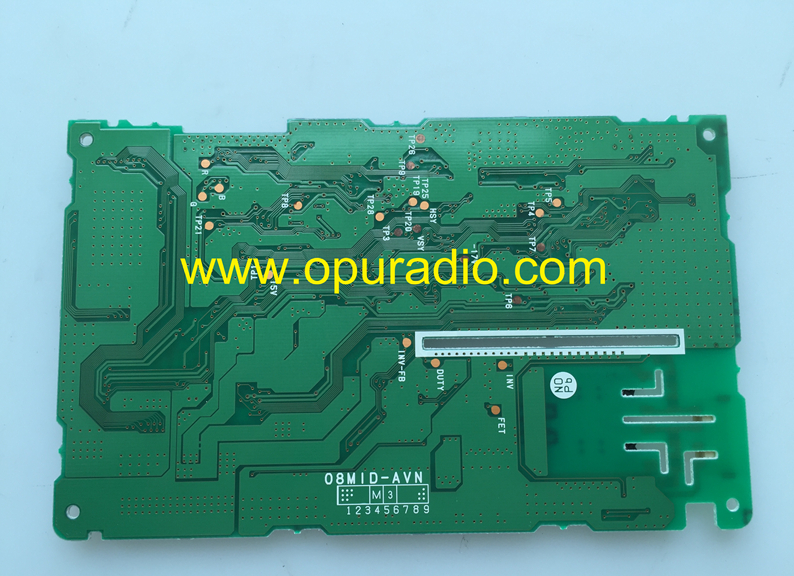
 135942-22200910 Printed Circuit board power PCB for display monitor Screen problem for 2010-2011 Toyota Prius 86120-47390 DENSO JBL Radio E7022 4 Disc Changer Navigation GPS MAP Phone 11-12 Avalon Limited Base XLS 86120-07150 E7031


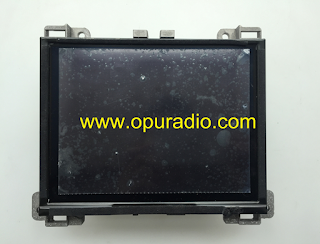
 Chrysler VP4R 68274764AA Display Module for 2017-2019 Chrysler 300C 300S Pacifica car navigation ECE Europe version MAP Media Radio Bluetooth APPS Dodge





Top 5 Troubleshooting Tips for Car DVD Players
Road trips may be more enjoyable when passengers watch DVD movies, listen to music, or view photo collections with a car DVD player. There may be times when interruptions occur because of problems with the device. Consumers may not need to take the equipment to a professional repair technician or purchase a replacement. An informed consumer can learn how to troubleshoot equipment malfunctions so that the device is ready to use. New and used car DVD players and the products needed to fix them are available in electronics stores, hardware stores, and online. opuradio can help shoppers find terrific deals and learn about product specifications and features when the choose high-quality car DVD players from its website.
1. No-disc Error
A prestigious website that offers consumer theater information stresses the importance of attempting several fixes when addressing a no-disc error from a portable DVD player. The customer can check the disc for dirt and scratches if it does not play and, if the shopper finds none, it may indicate that the DVDs wear is not causing the error message. The buyer can then check that the DVD fits the player's correct format. If formatting is not the problem, cleaning the laser lens with a DVD laser lens cleaning disc may help. The user can test this fix by placing an undamaged disc with correct formatting into the car DVD player. If the no-disc error still appears, the disc may not be spinning in the player. The consumer should turn the DVD player off and unplug it before using a screwdriver to remove the screws from the device's outer casing. The user can examine the device's interior to see if an object is jamming it and remove any obstructions.
Cleaning the Car DVD Player's Lens
The purchaser should keep the device open when cleaning its lens. Gently applying acotton swab containing isopropyl alcohol to the lens should eliminate the player's no-disc error message. If the warning still appears, the consumer may want to take the device to a professional repair technician to fix the problem.
2. Laser Damage
According to a prominent website that offers tech advice, a laser problem can cause a car DVD player to freeze its images as the laser tries to read the DVD. Although dust-related laser problems are rare because of a DVD player's high rotation speed, a moist or very dirty environment can cause this problem. Gently applying isopropyl alcohol to the device's lens may treat the player's laser issue.
3. USB Stick Not Working
Some car DVD players offer USB 2.0 port built-in features that allow buyers to use USB stick products so that their vehicles' passengers can enjoy home theater entertainment when travelling. Plugging a USB Flash Drive into a player allows a customer to share digital videos, photos, and music with others. A notable electronics website recommends checking a stick's file formatting if the device does not work. If the files are in a format that is not viewable on the car DVD player, the consumer can convert the files by using free programs that convert files to DivX.
4. Display Problems
A popular website that offers technology solutions warns that a loosened connector or broken wires between the LCD screen and the main board can cause a car DVD player to experience display problems. If a consumer can hear sound coming from the device, but see no image, the shopper should use a flashlight to ensure that not even a faint picture is present. If the shopper determines that no picture exists, there may be a stuck display switch causing the problem that a buyer can easily reset to its correct position.
5. Overheated Battery
According to a celebrated electronics website, an overheated battery, or battery burn, can occur if the current and voltage outputs of the AC adapter do not match the car DVD player's requirements. The battery can receive an adequate power supply if the DVD player's voltage and the AC adapter's output are compatible.
1. No-disc Error
A prestigious website that offers consumer theater information stresses the importance of attempting several fixes when addressing a no-disc error from a portable DVD player. The customer can check the disc for dirt and scratches if it does not play and, if the shopper finds none, it may indicate that the DVDs wear is not causing the error message. The buyer can then check that the DVD fits the player's correct format. If formatting is not the problem, cleaning the laser lens with a DVD laser lens cleaning disc may help. The user can test this fix by placing an undamaged disc with correct formatting into the car DVD player. If the no-disc error still appears, the disc may not be spinning in the player. The consumer should turn the DVD player off and unplug it before using a screwdriver to remove the screws from the device's outer casing. The user can examine the device's interior to see if an object is jamming it and remove any obstructions.
Cleaning the Car DVD Player's Lens
The purchaser should keep the device open when cleaning its lens. Gently applying acotton swab containing isopropyl alcohol to the lens should eliminate the player's no-disc error message. If the warning still appears, the consumer may want to take the device to a professional repair technician to fix the problem.
2. Laser Damage
According to a prominent website that offers tech advice, a laser problem can cause a car DVD player to freeze its images as the laser tries to read the DVD. Although dust-related laser problems are rare because of a DVD player's high rotation speed, a moist or very dirty environment can cause this problem. Gently applying isopropyl alcohol to the device's lens may treat the player's laser issue.
3. USB Stick Not Working
Some car DVD players offer USB 2.0 port built-in features that allow buyers to use USB stick products so that their vehicles' passengers can enjoy home theater entertainment when travelling. Plugging a USB Flash Drive into a player allows a customer to share digital videos, photos, and music with others. A notable electronics website recommends checking a stick's file formatting if the device does not work. If the files are in a format that is not viewable on the car DVD player, the consumer can convert the files by using free programs that convert files to DivX.
4. Display Problems
A popular website that offers technology solutions warns that a loosened connector or broken wires between the LCD screen and the main board can cause a car DVD player to experience display problems. If a consumer can hear sound coming from the device, but see no image, the shopper should use a flashlight to ensure that not even a faint picture is present. If the shopper determines that no picture exists, there may be a stuck display switch causing the problem that a buyer can easily reset to its correct position.
5. Overheated Battery
According to a celebrated electronics website, an overheated battery, or battery burn, can occur if the current and voltage outputs of the AC adapter do not match the car DVD player's requirements. The battery can receive an adequate power supply if the DVD player's voltage and the AC adapter's output are compatible.
2017年4月10日星期一
opuradio's product
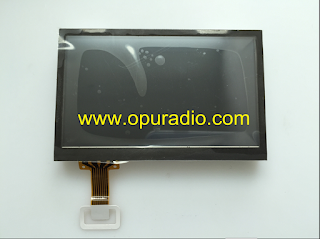
LG Display LB043WQ4-TD01 LCD Monitor with touch screen Digitizer for 2012-2014 Hyunda Sonata MOBIS 95180-3Q8004X KIA Optima 96160-2TAA0CA car CD player radio SIRIU AC130TFAN MP3 Bluetooth Phone Media

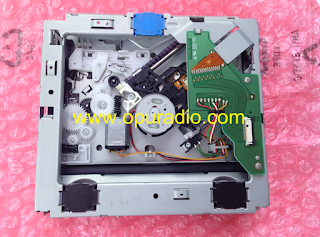
 Panasonic Matsushita 6 Disc CD/DVD Changer mechanism exact for 2007-2010 Cadillac Escalade ESV EXT SUPERNAV Delphi 28239409 Car Navigation GPS Audio Media GM20902104 Option UUM

 Brand new Fujitsu Ten single CD dirve loader deck 321000-5030B700 exact for 2008 2009 Chevrolet Impala Equinox Chevy Saturn Vue Aura GM25866724 Pontica Torrent Buick Lucerne CD player MP3 AUX

 86120-07150 DENSO DW468100-0637 Navigation Radio for 2011-2012 Toyota Avalon Limited Base XLS CD changer AUX Audio Phone MAP Voice GPS Bluetooth with JBL systems USA Canada version


 DV36T340 Alpine DVD drive loader deck mechanism for Audi Navigation Box DVD-Rom VW car DVD player GPS MAP Audio Media


 CHIMEI-INNOLUX Display DJ084NA-01A LCD Monitor with touch screen
Digitizer for HARMAN INFOTAINMENT VP3 NA RA3 VP4 NA RA4 8.4AN UCONNECT
for Chrysler Dodge RAM 1500 2500 3500 TRUCK JEEP Grand Cherokee car
Navigation GPS Phone Media Audio
CHIMEI-INNOLUX Display DJ084NA-01A LCD Monitor with touch screen
Digitizer for HARMAN INFOTAINMENT VP3 NA RA3 VP4 NA RA4 8.4AN UCONNECT
for Chrysler Dodge RAM 1500 2500 3500 TRUCK JEEP Grand Cherokee car
Navigation GPS Phone Media Audio


How to Clean a CD Player
A dirty CD player can lead to lower sound quality or read errors.Test with several discs first to make sure the problem is the CD player and not a damaged CD. If your Windows computer is failing to run CDs, you might have a software problem rather than a dirty CD drive.
Cleaning a CD Player
1、Confirm there is no CD in the player. If the CD drive is tray-loaded, open the tray and disconnect the power cable without switching it off from the power button. This will leave the tray open, allowing you access to the slot.
2、Blow away dust with a handheld air bulb. These rubber bulbs are sold as dust blowers in places that stock cameras or jeweler's equipment. Squeeze the bulb to gently blow dust out of the slot and/or tray. A can of compressed air is a risky alternative. Use brief blasts only to avoid excessive force, and check that the spray is completely dry first. Some brands spray a little liquid along with the air, which can destroy your drive.
3、Remove the lens cover. Assuming the dust blower
didn't fix the problem, it's time to access the lens. Unless you have a
snap-open portable player, you'll need to unscrew the device's outer
case first. Once you have access to the tray that holds the CD, look for
small catches or screws holding down the plastic cover over the lens
assembly. Remove the screws or press on the catches carefully with a
small screwdriver. You should see a small, circular lens to one side of
the spindle, similar in size to the camera lens on a phone.
- This will likely void your warranty.
4、Select a lint-free cleaner. A clean microfiber cloth
is the ideal choice. You can find these at stores that sell electronics
or eyeglasses. Special swabs for cleaning electronics will also work.
- Use cotton swabs only as a last resort. While they often work fine, there is a risk of scratching the lens.
5、Wipe a small amount of high-strength isopropyl alcohol onto the lens.
Use isopropyl alcohol with at least 91% concentration (and ideally
"reagent grade" 99.9%). More diluted alcohol can leave a haze on the
lens. Dampen the cloth slightly, without soaking it. Rub the cloth
gently over the lens. Keep wiping until the center of the lens is shiny
and has a blue tinge.A little haze around the perimeter is usually not a problem.
- You can use a lens cleaning solution instead of alcohol. In rare cases, you'll need deionized water to remove sugar-based residue.
- Deep scratches on the lens could make it unusable. If the scratches are barely visible, they are unlikely to be a problem.
6、Let dry before replacing the cover. Wait a few
minutes to avoid trapping any liquid alcohol inside the mechanism. While
waiting, you can use the air bulb again to blow out any dust from the
interior mechanism.
- Avoid over-tightening the screws, which can crack the plastic case.
7、Try a lens cleaner disc. These discs brush the CD
drive lightly, removing dust. In most cases, a cleaner disc is less
effective than the methods above, and a low-quality disc could even
cause more damage.Try it if nothing else works, or skip to the next step if you're
willing to try more complex repairs. Cleaner discs usually run
automatically when you insert them, but check the product instructions
first.
- Do not use a CD cleaner disc on a combination CD/DVD player. Cleaner discs made for CD players will scratch a DVD drive.
- Check the product label for warnings before buying. Some discs are not compatible with some devices.
8、Consider more involved repairs. If your CD player
still won't work, you can try to disassemble it even more and examine
other parts. This is fairly difficult, and may require the manual for
your device. If you are patient and mechanically minded, try the
following:
- Slowly turn the drive upside down while watching the lens. The lens should move up and down smoothly, without sticking or tilting. If it doesn't behave correctly, you may need to replace the whole pickup unit (or just get a new CD player).
- Carefully remove components around the lens if possible. If you can access the turning mirror (a small piece of glass), clean it the same way you cleaned the lens.
- Look for a plastic cogwheel attached to the laser mechanism. Turn this slowly with a swab and watch for moving parts. If any of them seem dirty or sticky, clean them with alcohol, then apply a thin layer of light lubricant suitable for electronics.
Troubleshooting a Windows CD Drive
1、Update your drive firmware. You may need to update
your firmware to fix a bug, or to allow your computer to play new types
of discs. If you know your drive's manufacturer, visit its website and
download the latest update. If you don't know the manufacturer, find it
using one of these methods:
- Look for a name printed on the front of your drive.
- Look for a numerical code on the drive, then search for it at the FCC database
- Open Device Manager and double click the entries underneath "DVD/CD-ROM Drives."
- Open Control Panel.
- Type "troubleshooting" in the search bar in the Control Panel. Click "Troubleshooting" when it appears in the results.
- Look under "Hardware and Sound" and click "Configure a device." Select your CD drive and follow the onscreen instructions
3、Reinstall the drive. Open Device Manager and look at the entries under "DVD/CD-ROM Drives." Right-click those device names and select "Uninstall." Reboot the computer to reinstall them. This is most likely to work if the name has an X or exclamation mark next to it.
- If there are no drives listed, the drive's cables are disconnected or the drive is broken and needs replacement.
2017年3月31日星期五
opuradio's product
LG Display LA061WV1 (TD)(01) TD01 with TOUCH SCREEN DIGITIZER exact for 2014-2016 Toyota 4Runner 86100-35181 86100-35200 JBL Radio Sirius XM CD player Navigation SD MAP Audio APPS Phone GPS Panasonic Automotive 35161 35361 57079 57085

 Clarion 6 Disc CD Changer Mechansim with exact PC Board 039-3058-20 for 2010-2012 Ford Mustang CD Player MP3 FoMoCo Stereo Satellite Radio AR3T-19C158-AL BB BC F-150 Truck BL3T-19C157-BA


 100% brand new Toshiba Matsushita Display LTA070B052F Monitor LTA070B054F with touch screen for TOYOTA Prius Land Crusier Lexus LS430 SC430 2004-2006 RX330 LX470 2003 car navigation audio GPS radio


 Fujitsu single CD drive loader Deck DA-35-166 DA-35-181 for 2004-2010 Toyota Sienna JBL Radio Cassette CD player Receiver 86120-AE020 86120-AE011 86120-AE010 86120-AE040 86120-08220 16862 16839 16840 11826 11809


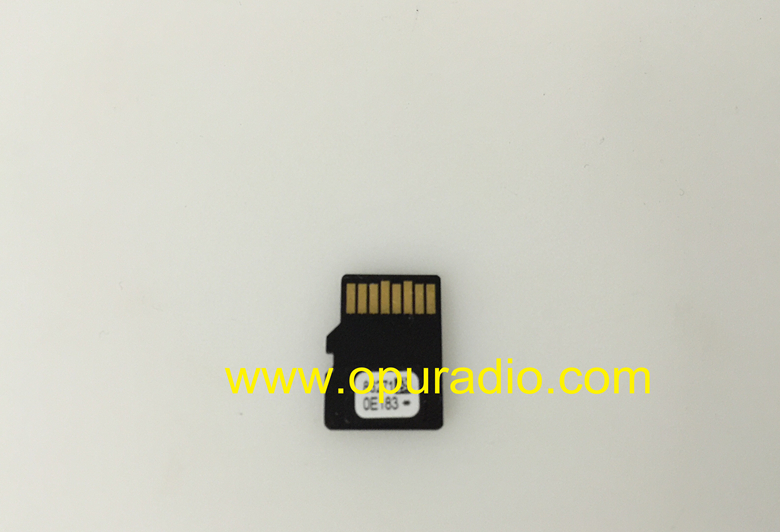
 Micro SD Card MAP Card for 2015 2016 2017 Toyota Camry Avalon Sienna 86 Corolla Tacoma Tundra Highlander 4Runner Sequoia Prius Car Navigation GPS USA VERSION

 OPTREX 3232351 Display glass screen for BMW Group Alpine CD73 Professional CD Radio E81 E82 E87 LCI E88 E90 E91 E92 E93 Pixel Repair 128i 125i 135i 320i 323i 325i 328i 330i 335i Z4 M3 CD player optical fiber


 OPU RADIO is one of the worlds leading automotive remanufacturers.
Our company was founded in 1992 and professional on car radio/audio repair parts business,and is an independent distributor operating worldwide.
We are supplying electronic compontents and spare pparts for automotive industry like CD/DVD/Navigation mechanisms,LCD display,touch screen,mainboard for head unit,spindle motor,flex cable,repair IC(Memory IC,Amplifier IC)hdd hard disk drive etc for all kinds of car brand.
We are in the biggest electronic markets in China and we have mass stock of products that they all comes from original factory with brand new to make sure we can offer the lowest pricing and top quality as an international wholesale company.
We promise,you can take the top quality product with the best price from us.
Choose us is your biggest harvest,we will never let you down.




Our company was founded in 1992 and professional on car radio/audio repair parts business,and is an independent distributor operating worldwide.
We are supplying electronic compontents and spare pparts for automotive industry like CD/DVD/Navigation mechanisms,LCD display,touch screen,mainboard for head unit,spindle motor,flex cable,repair IC(Memory IC,Amplifier IC)hdd hard disk drive etc for all kinds of car brand.
We are in the biggest electronic markets in China and we have mass stock of products that they all comes from original factory with brand new to make sure we can offer the lowest pricing and top quality as an international wholesale company.
We promise,you can take the top quality product with the best price from us.
Choose us is your biggest harvest,we will never let you down.
订阅:
博文 (Atom)